




 MineStrator
Hello!
Your server file transfers taking forever? Don’t panic, we’ll speed things up together. In this 2026 guide, you’ll learn how to boost SFTP transfer speed in WinSCP and FileZilla by enabling more simultaneous transfers.
Note : using an SFTP software is not necessary anymore, the Files tab of your server's panel can handle the most common operations more efficiently.
Why SFTP feels slow on big folders
SFTP is excellent for moving a few large files, especially with a solid connection. But it can slow down hard when you transfer a folder containing hundreds or thousands of small and medium files, like a Minecraft world.
Even with 1 Gbps Internet, each file transfer has overhead (listing, permissions, handshake, confirmations). When that overhead repeats thousands of times, your “fast” connection suddenly feels like it’s playing on hard mode.
Boost transfer speed with parallel transfers
The fix is simple: tell WinSCP or FileZilla to open multiple simultaneous transfers. This lets the client send more files at once, which is usually a huge win for worlds, modpacks, and plugin folders.
This won’t magically save a slow ADSL line, but on Fiber and stable 4G/5G connections, you’ll typically notice a clear improvement when moving large folders.
💡 Tip: If transfers become unstable, reduce the number (for example 4–6). Faster isn’t always “maxed out”.
Increase speed in WinSCP (max 9)
In WinSCP, you can raise the maximum number of simultaneous transfers up to 9. This is the highest value available and is ideal for speeding up folder transfers.
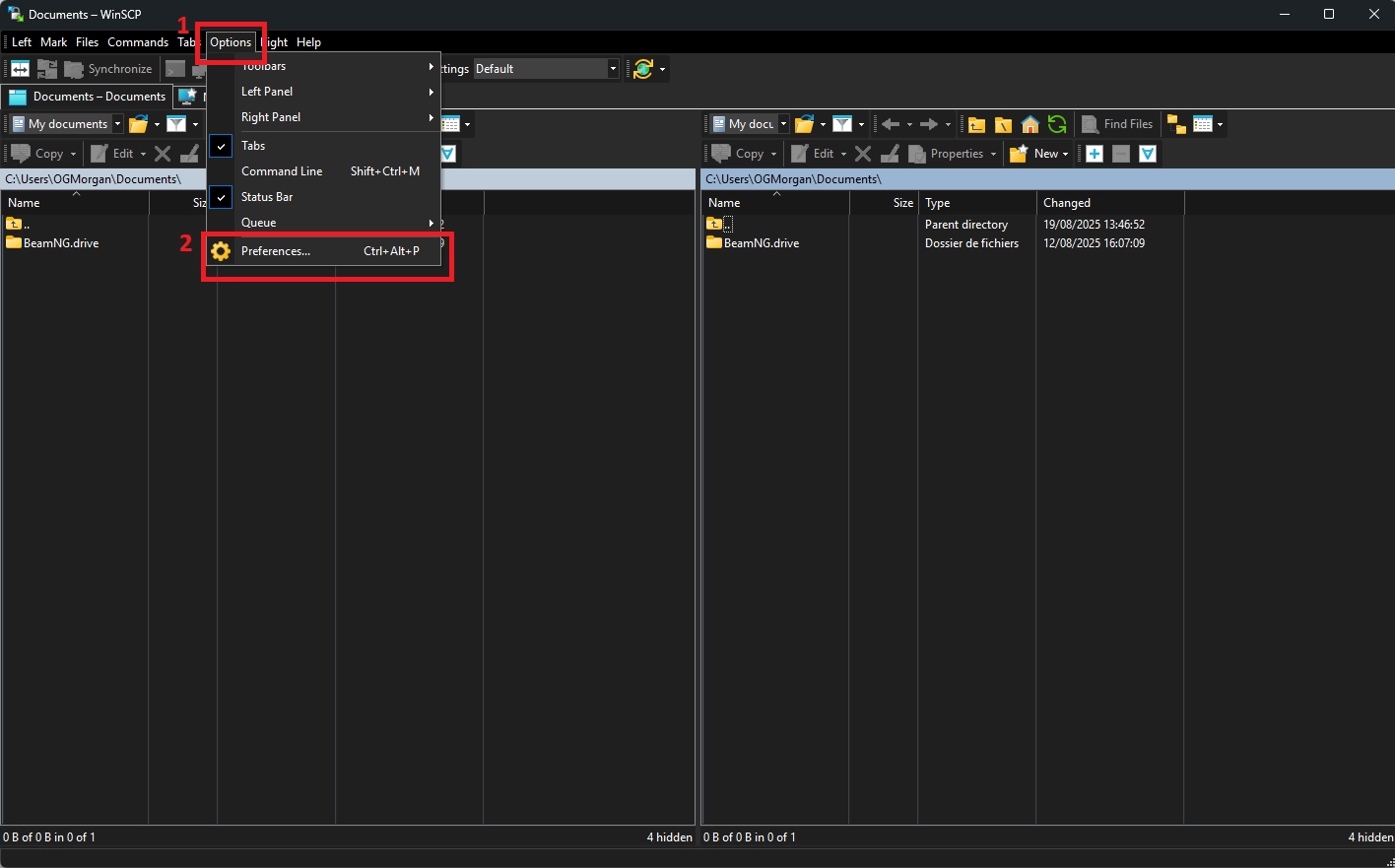
Open WinSCP, then go to Options and click Preferences.
In the Transfers category, open Background and set 9 as the maximal number of transfers at the same time.
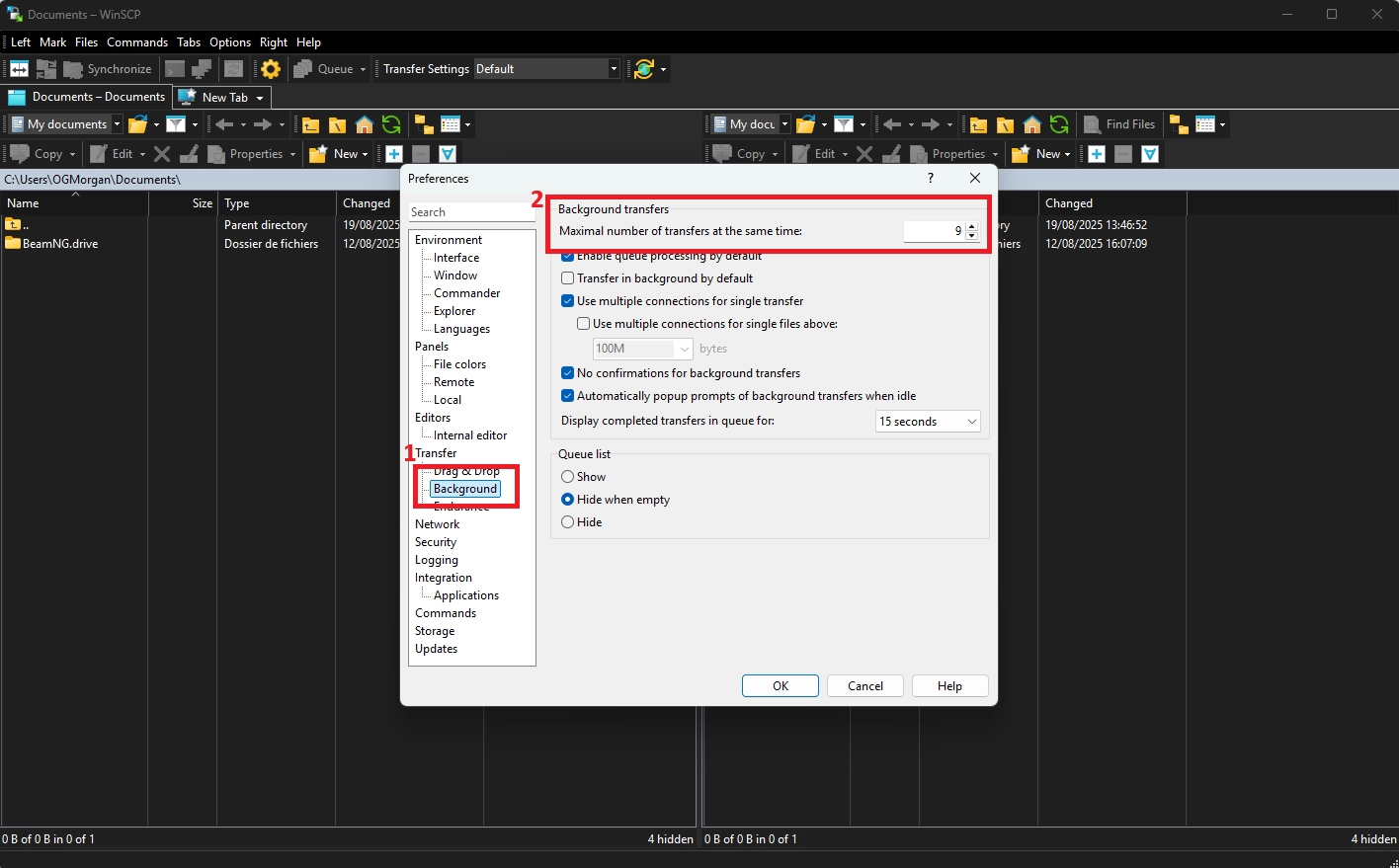
Click OK to save. You’re done, and your next big folder transfer should be noticeably faster.
⚠️ Warning: Too many parallel transfers can trigger timeouts on unstable Wi‑Fi. If you see errors, lower the value.
Increase speed in FileZilla (max 10)
FileZilla also supports parallel transfers, with a maximum value of 10. It’s a quick setting change, and it can significantly improve performance on folders with lots of files.
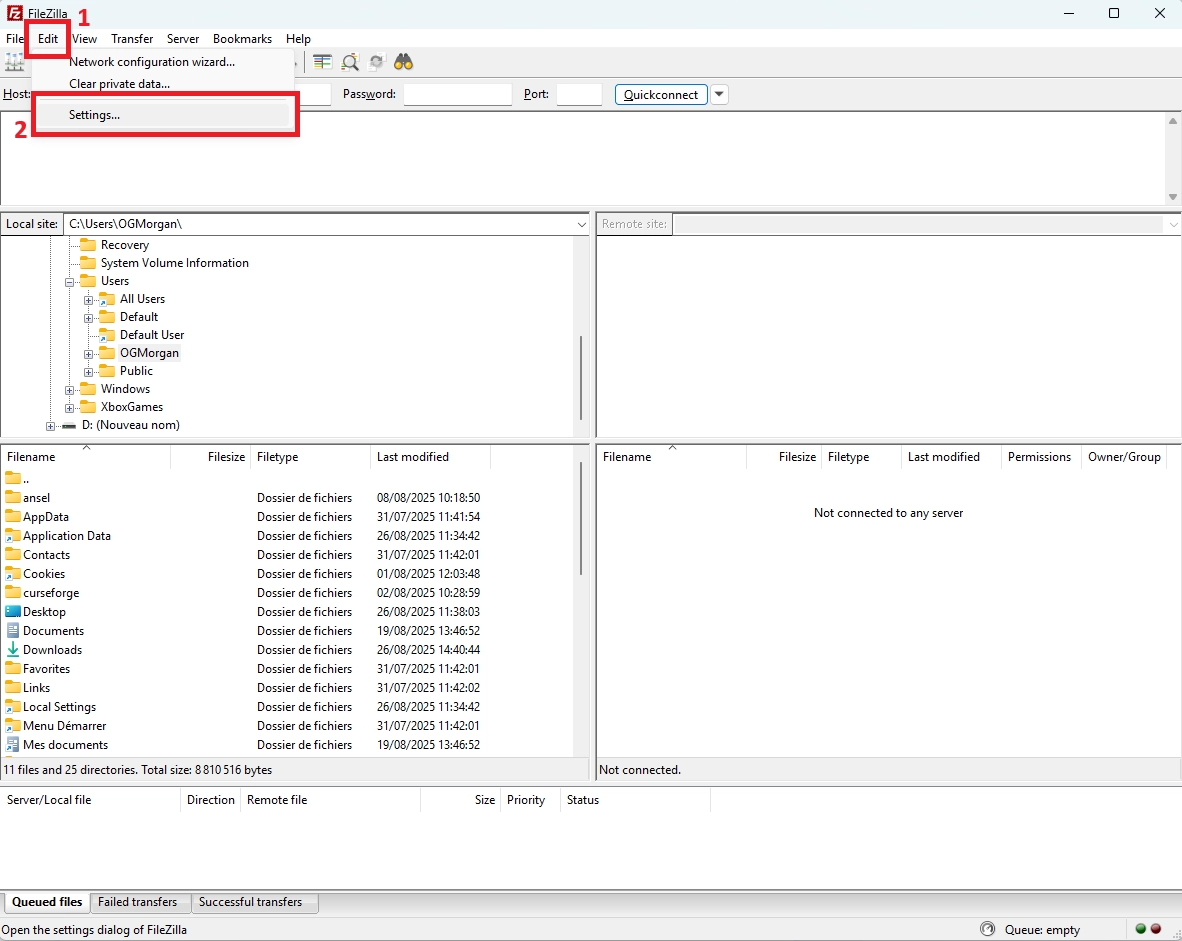
Open FileZilla, then go to Edit and click Settings.
In the Transfers category, set 10 as the maximum number of simultaneous transfers.
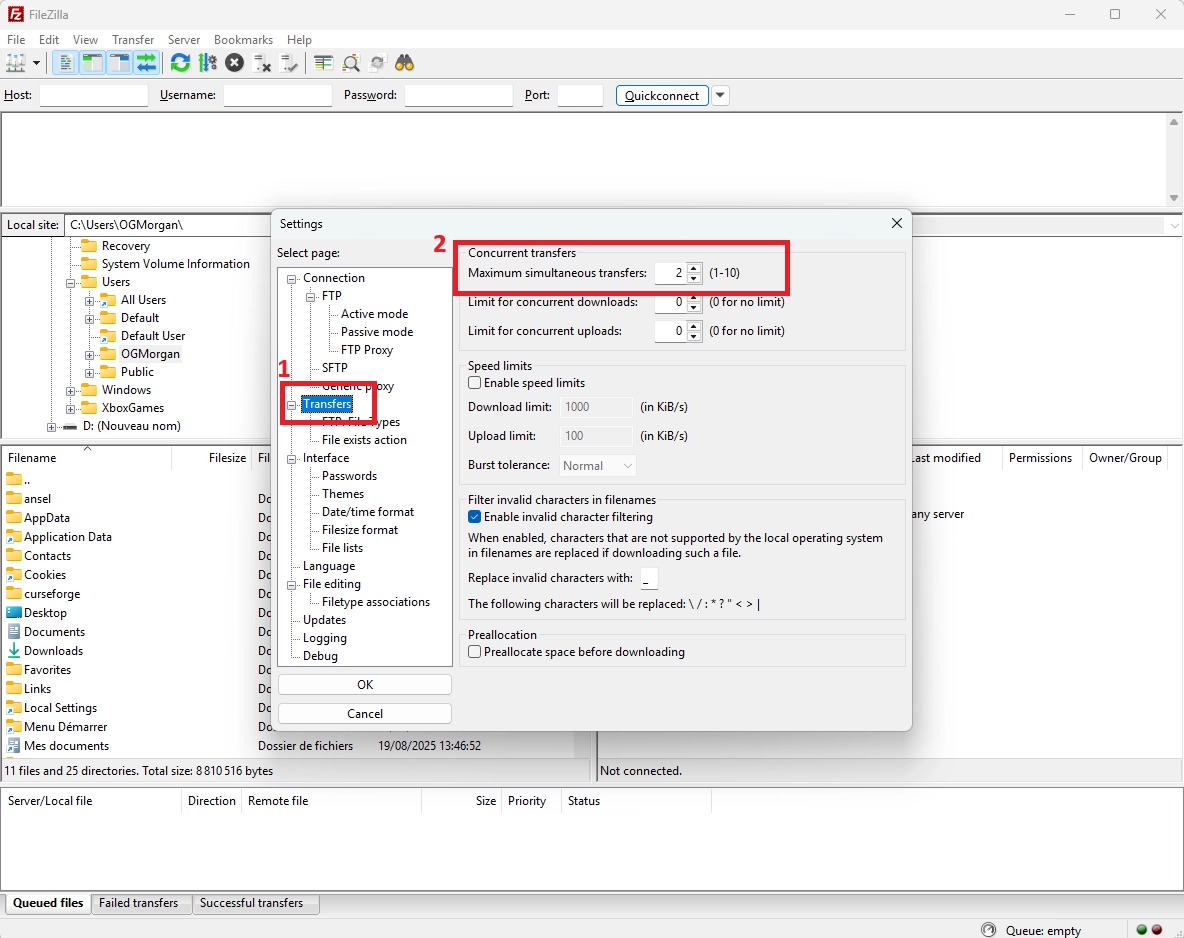
Click OK to save. That’s it—FileZilla will now push more files at the same time.
Quick checklist for best results
After enabling parallel transfers, your speed for large folders should be significantly higher, as long as your connection is stable and fast.
Use a wired connection when possible
Avoid unstable Wi‑Fi during big uploads
Lower parallel transfers if errors appear
Zip folders before transfer when relevant
Transfer during off-peak hours
📝 Note: Zipping a world into one file can be faster than sending thousands of tiny files, especially on high-latency networks.
Questions frequently asked
Why is my Minecraft world upload so slow?
A Minecraft world contains tons of small files. With SFTP, each file adds overhead, so the total time increases fast. Enabling simultaneous transfers (or zipping the folder first) usually fixes most of the slowdown.
Should I always set the maximum value?
Not always. Max values (9 on WinSCP, 10 on FileZilla) are great on stable Fiber, but can cause timeouts on weaker networks. If you see failed transfers, drop to 4–6 and retry.
Does this speed up downloads too?
Yes. Parallel transfers can improve both uploads and downloads, especially when you’re moving folders with many files like world, plugins, or modpack directories.
Conclusion
By increasing the number of simultaneous transfers in WinSCP or FileZilla, you can massively improve SFTP transfer speed for big folders like Minecraft worlds. It’s a small tweak, but it can save you a lot of waiting time.
Need a server to test, migrate, or upload a fresh world? Try a Minecraft server free for 12 hours, no credit card required.