




 MineStrator
Palworld Configuration: Death Penalty and Egg Incubation Time
Introduction
This guide explains how to modify two parameters on your Palworld server: death penalty and egg incubation time. These modifications are made directly in the configuration file via WebSFTP. If you do not have a server yet, follow our guide on how to create a Palworld server first.
Before any manipulation, make sure to turn off your server first.
Accessing the configuration file
Go to your WebSFTP and navigate to the file: /Pal/Saved/Config/LinuxServer/PalWorldSettings.ini
Warning! A file named DefaultPalWorldSettings.ini located at the server root has exactly the same options, but modifications made to this file are not effective.
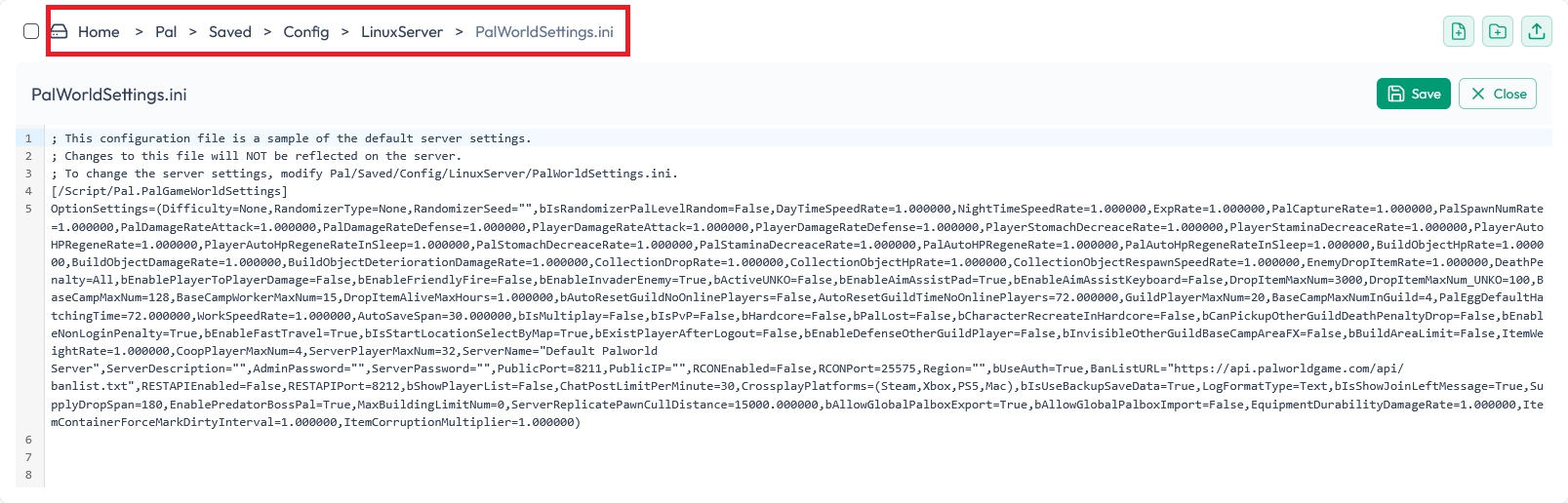
The file contains a long line of parameters separated by commas. Use Ctrl+F to search for the parameters to modify.
Important: Always respect the syntax (commas, exact case) to avoid breaking the configuration file, at the risk that the server no longer starts.
Modifying the death penalty (DeathPenalty)
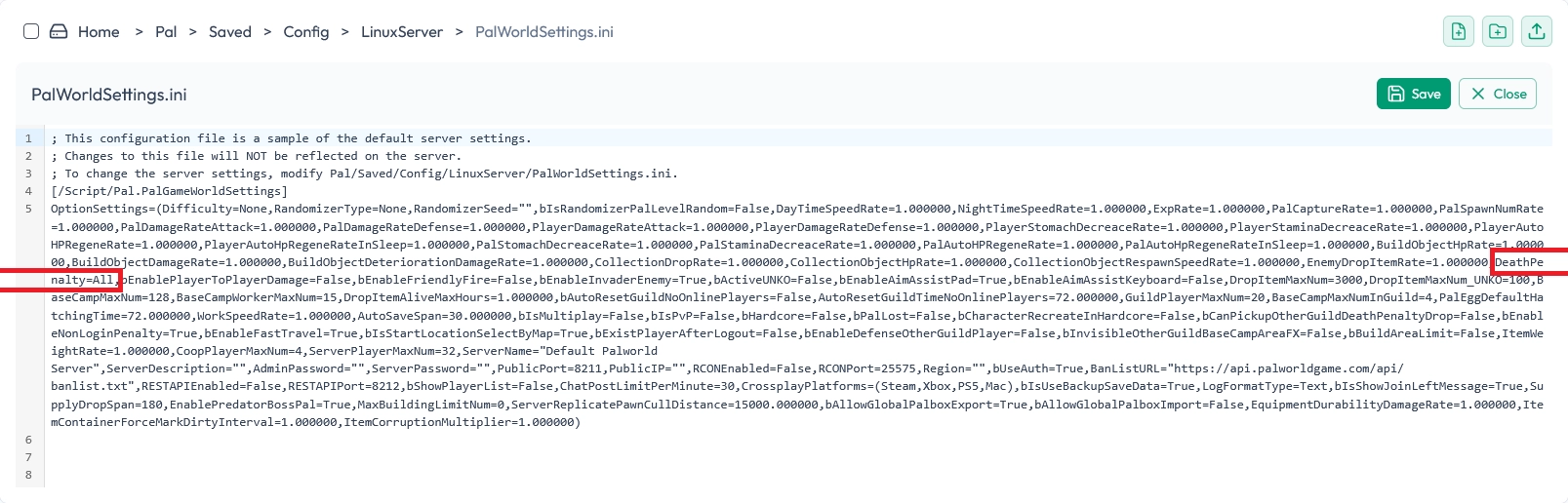
Search for DeathPenalty=All, (default value) and replace All with one of these options:
- None: No loss on death
- Item: Loss of items only (keeps equipment)
- ItemAndEquipment: Loss of items and equipment
- All: Total loss (items, equipment and Pals)
Modifying the incubation time (PalEggDefaultHatchingTime)
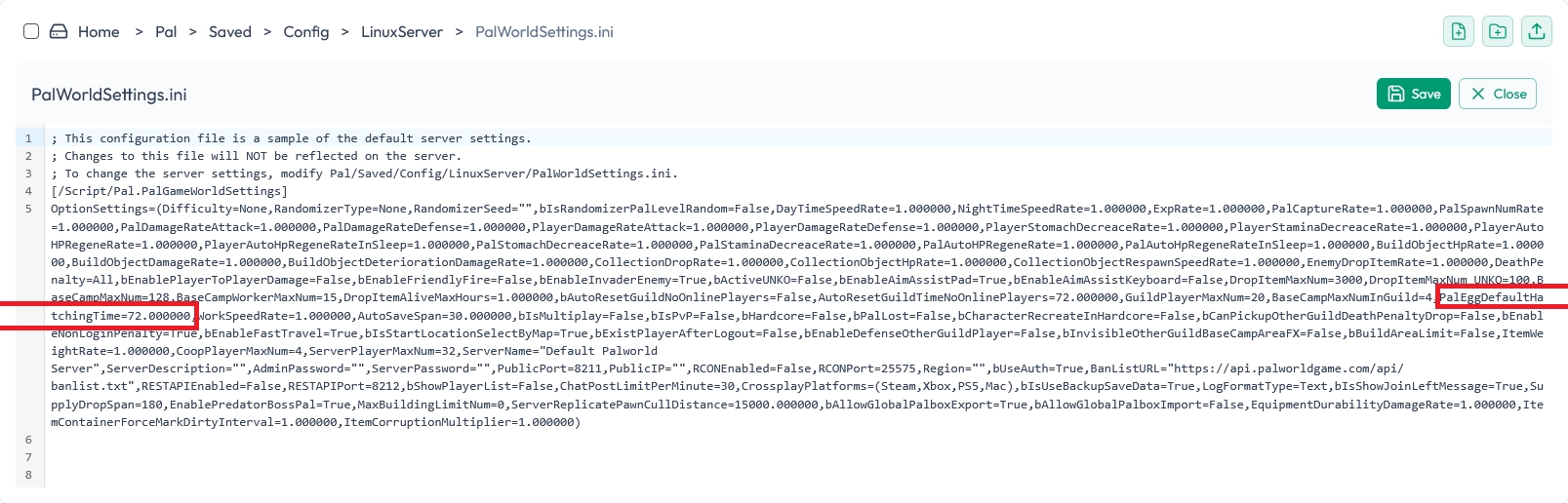
Search for PalEggDefaultHatchingTime=72.000000, (72 hours by default) and modify the value according to your preferences:
- 6.000000: 6 hours
- 12.000000: 12 hours
- 24.000000: 1 day
- 48.000000: 2 days
- 168.000000: 1 week
Always keep the format with decimals and the final comma.
Save and restart
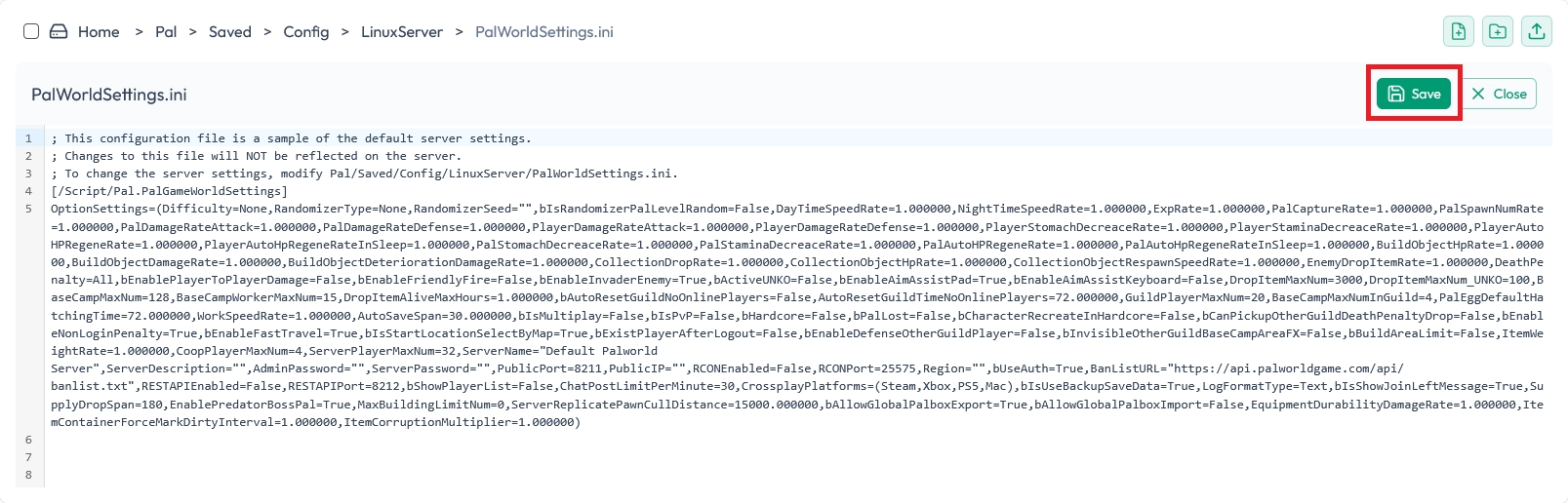
Save the modified file, then restart your server to apply the changes.
Other available parameters
The PalWorldSettings.ini file contains many other modifiable parameters (experience rate, damage, work speed, etc.). For a complete list of options and their description, consult the official Palworld documentation: the official Palworld documentation
Once your settings are in place, you can manage the server directly in-game with admin commands: our complete guide to Palworld commands lists them all.
This is the end of this tutorial. Come to the MineStrator Discord if you need help with configuring your server or for any other question!