

 MineStrator

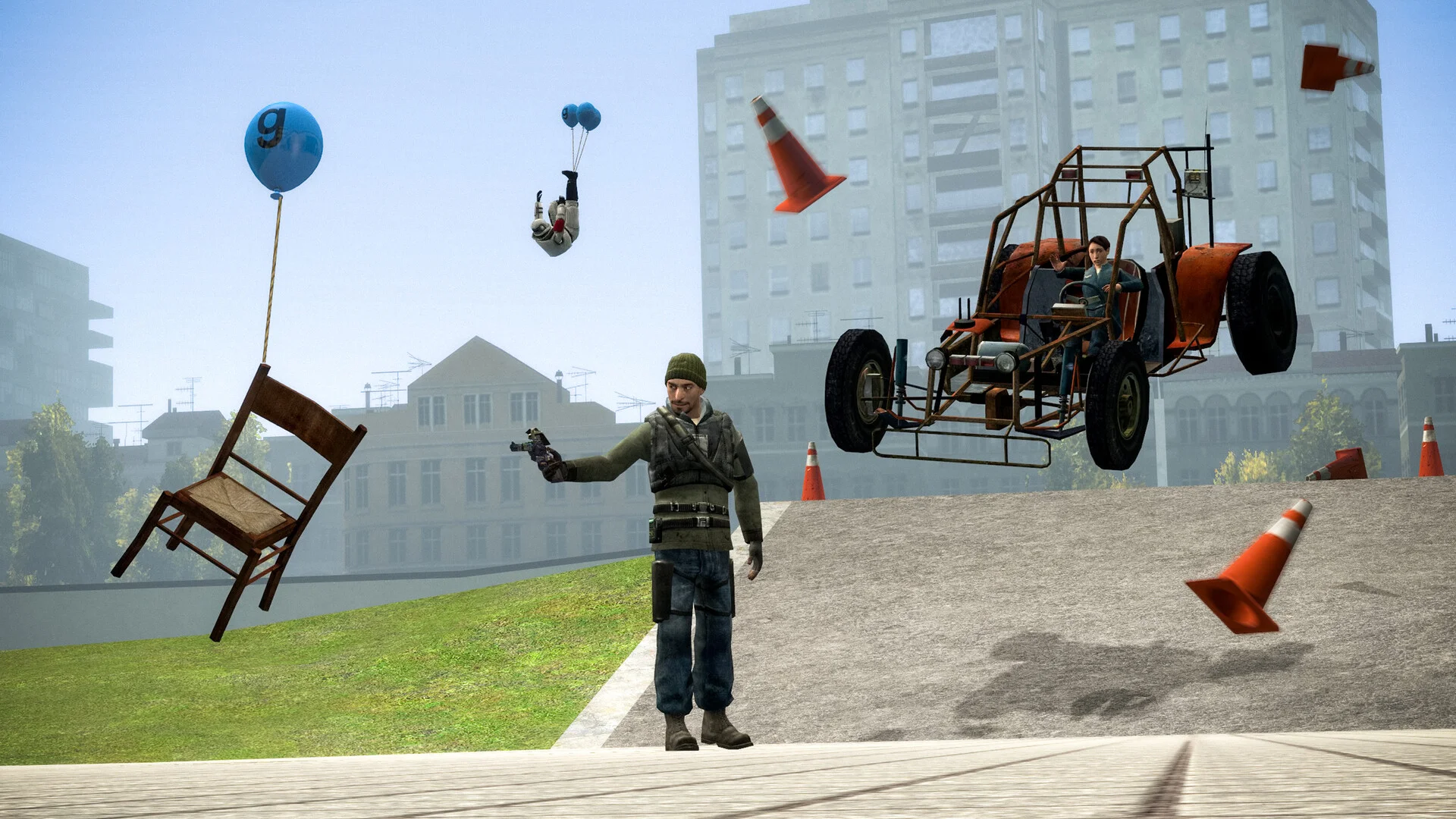
More than twenty years after its release, Garry's Mod is still one of the most played multiplayer sandboxes in the world, kept alive by years of DarkRP, TTT and Prop Hunt servers. If you want a community to grow around your ideas, a dedicated server is the way to go: always online, stable, and able to carry your addons.
This guide covers the full creation of a Garry's Mod server in 2026: choosing a gamemode, sizing your plan, installing addons through Steam Workshop collections, getting a GSLT token to appear in the public server list, and the basic configuration.
Why run a dedicated Garry's Mod server rather than hosting on your PC?
Because a server hosted on your own machine stops when you shut it down, exposes your personal IP address and forces you to open ports on your router. A dedicated server runs 24/7, keeps your home IP out of reach and stays online even when no admin is connected.
On a community gamemode like DarkRP, that is decisive: a server economy only builds up if players can connect at any hour. For a full comparison of both approaches, our article on self-hosting vs renting a game server details the differences in cost, latency and security.
Choosing your gamemode: sandbox, DarkRP, TTT or Prop Hunt?
The gamemode decides everything else: the audience you target, the addons you need and the resources to plan for. Pick it before sizing your server.
Sandbox: the original free-build mode, ideal with friends for building and experimenting. Lightweight, it runs comfortably on a small plan.
DarkRP: urban roleplay, the backbone of many communities. It is also the hungriest gamemode: custom jobs, economy addons, vehicles and large maps pile up fast. Plan for the biggest plan in the table below if you go this way.
TTT (Trouble in Terrorist Town): the cult social deduction game, light on resources, perfect for sessions of 8 to 16 players.
Prop Hunt and Murder: accessible party games, light on resources, that welcome new players well.
📝 Note: nothing is set in stone. You can change gamemode at any time from your panel, and even switch game for free with GameSwap if your community moves on.
Which plan should you choose for your Garry's Mod server?
For a Garry's Mod server, count on 4 GB of RAM for around 16 players on TTT or Prop Hunt, and 8 to 12 GB for a DarkRP server with 32 to 64 players and a heavy addon list. On the Garry's Mod hosting page, three plans are recommended:
Plan | RAM | Players (indicative) | Price |
|---|---|---|---|
MyBox 4 | 4 GB | Up to 16 | 6.99 EUR/month |
MyBox 8 ✅ recommended | 8 GB | Up to 32 | 13.99 EUR/month |
MyBox 12 | 12 GB | Up to 64 | 20.99 EUR/month |
Player counts are indicative only and never capped.
One technical point worth knowing: the Source engine essentially runs on a single CPU core. Beyond RAM, it is the processor frequency that makes your server smooth, especially on a busy DarkRP. That is the whole point of the MyBox Perf plans, which run the same servers on overclocked Ryzen 9 processors. Since the September 2026 update, players can also pick the 64-bit game client from their Steam launch options, which reduces crashes on addon-heavy servers.
💬 Good to know: Garry's Mod is one of the five games eligible for the free-for-life server: 4 GB of RAM, renewable every 30 days without losing data. Perfect for starting a project with friends before moving to a bigger plan. The game itself is bought separately on Steam.
Creating your server in a few minutes
Creating the server requires no particular technical skill:
Choose your plan on the Garry's Mod page and confirm the order (or start the 12-hour free trial to test first).
In the MineBoard panel, select Garry's Mod as your server's game, then adjust the allocated RAM and CPU with the sliders: installation happens in one click.
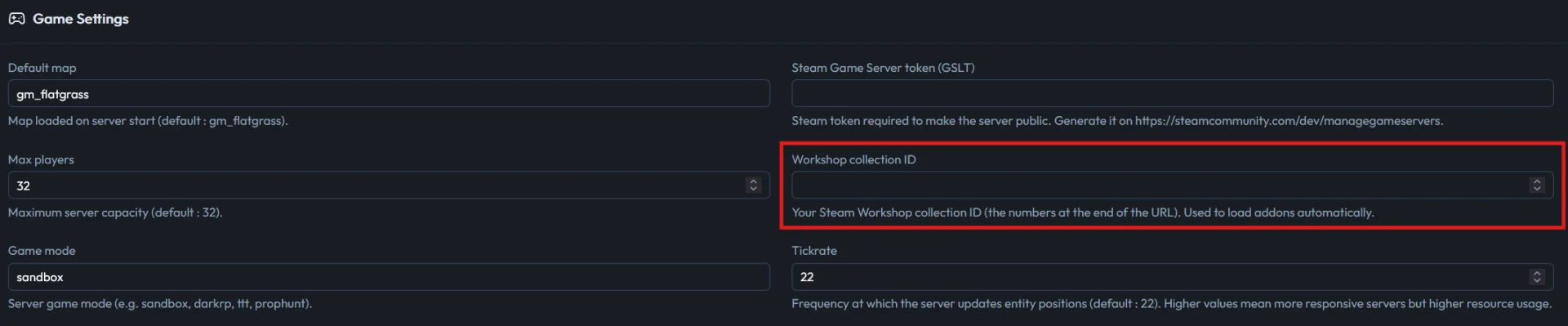
Set the server name, the gamemode and the starting map. In the Game Settings tab, the default map is gm_flatgrass, the player cap is 32 and the tickrate is 22; all three can be changed later.
Start the server from the panel console and join it from the game to check that everything works. The connection address, IP and port, is displayed as soon as the server is created and stays visible on the dashboard.
Installing your addons with a Steam Workshop collection
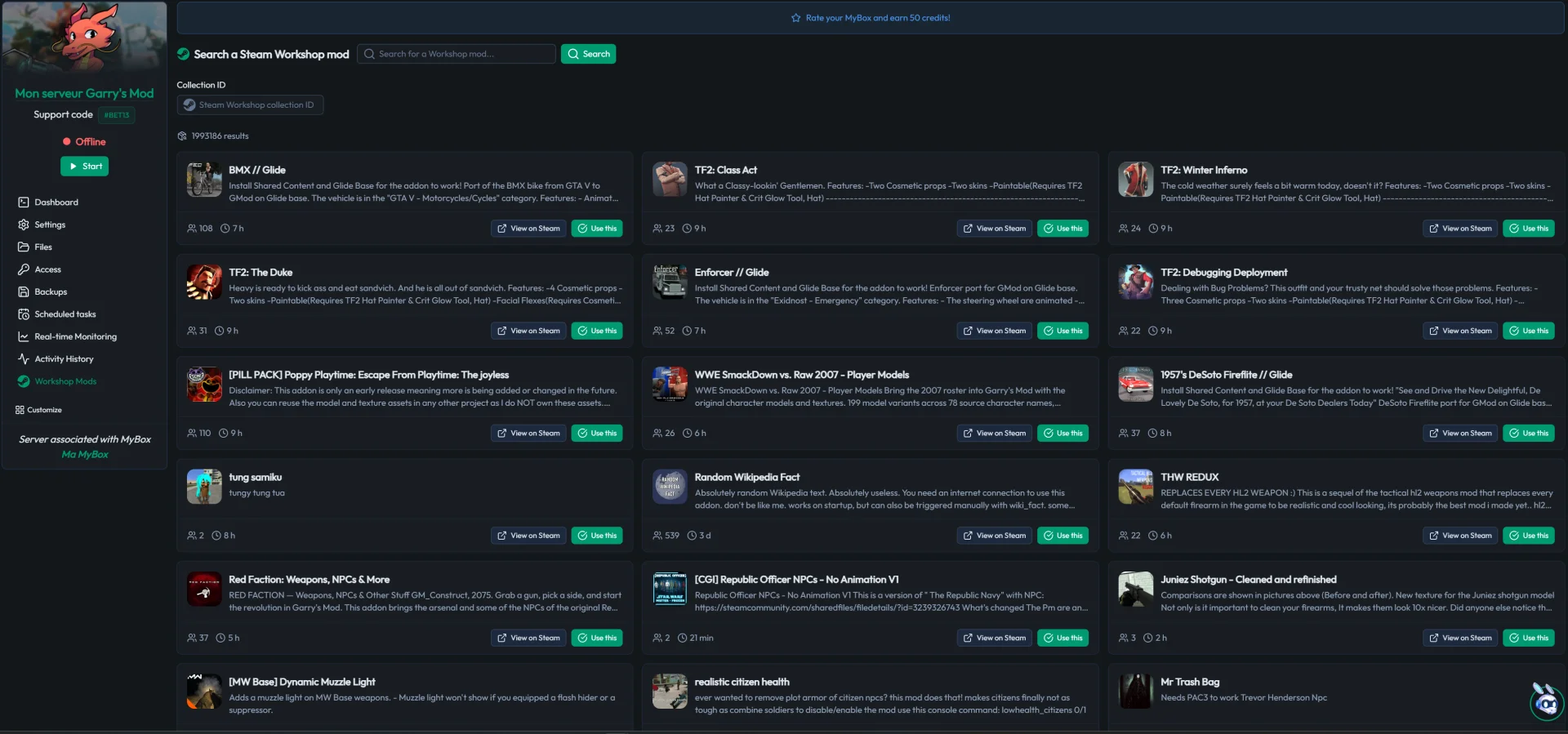
The clean way to manage addons on a Garry's Mod server is a Steam Workshop collection. Create a public collection on the Workshop from your Steam account, add your addons to it (weapons, maps, admin tools), then link its ID to your server from the panel.
You can also add addons directly from the Mods Workshop tab of the MineStrator panel.
On startup, the server downloads and mounts the whole collection. Your players, for their part, automatically get the addons they need when they connect: nobody has to install anything by hand. For files that do not go through the Workshop (DarkRP job configurations, custom content), upload them through the Files tab or over SFTP by following our guide on managing your server with WinSCP and FileZilla.
💡 Tip: keep your collection clean. Every addon adds download time to a player's first connection: regularly remove abandoned or redundant addons, and your new-player retention will thank you.
How do you make your server publicly visible (GSLT token)?
To appear normally in the public Garry's Mod server list, you need a GSLT token (Game Server Login Token). Without it, your server can still be joined by IP but suffers a heavy visibility penalty in the server browser.
Creating one is free and takes two minutes:
Go to the game server management page of your Steam account.
Create a token for AppID 4000 (Garry's Mod). Count one token per server.
Enter this token in your server configuration from the panel, then restart.
Your server then shows up in the public list with its name, gamemode and map, ready to welcome players who do not know you yet.
Configuring your server: tickrate, admins and CS:S content
Three settings deserve your attention once the server is online. Tickrate first: it defines how often the server simulates the game. A higher tickrate makes the game more responsive but uses more CPU; it is set from the server configuration, and the default value suits most gamemodes.
Administration next: tools like ULX install like any other addon and give you rank, punishment and permission management directly in game. Add them to your Workshop collection from the start.
Counter-Strike: Source content last: good news, Garry's Mod now includes most of the CS:S content by default. The infamous purple checkerboard textures and missing models, long the first problem of new servers, are a thing of the past for most maps.
On the security and backup side, there is nothing to configure: every server is covered by the standard DDoS protection and by SmartBackup™, which automatically keeps a rolling month of backups you can restore in one click.
Frequently asked questions
How much does a Garry's Mod server cost?
Plans start at 6.99 EUR per month with the MyBox 4, which comfortably handles around 16 players on TTT or Prop Hunt. For a DarkRP server with 32 to 64 players and a heavy addon list, aim for 8 to 12 GB of RAM. A free-for-life 4 GB server also exists if you want to start with no budget at all.
Can you get a free Garry's Mod server?
Yes. Garry's Mod is one of the five games eligible for the MineStrator free-for-life server: 4 GB of RAM, the full control panel, renewable every 30 days without losing any data. The game itself remains paid and is bought on Steam.
How much RAM does a Garry's Mod server need?
Count on 4 GB for around 16 players on a light gamemode such as TTT or Prop Hunt, and 8 to 12 GB for a DarkRP server with 32 to 64 players and many addons. CPU frequency matters as much as RAM: the Source engine essentially runs on a single core.
Do you need a GSLT token for a Garry's Mod server?
Yes, if you want to be properly listed in the public server browser. The GSLT token is created for free from your Steam account with AppID 4000, one token per server. Without it, the server can still be joined by IP but loses most of its visibility.
Do players have to install addons manually?
No. When you link a Steam Workshop collection to your server, every player downloads the required addons automatically on connection. Only content that is not on the Workshop (custom configurations, custom files) is managed server-side through the file manager or SFTP.
Conclusion
Creating a Garry's Mod server in 2026 comes down to four decisions: a gamemode, a plan sized in RAM and CPU frequency, a clean Workshop collection and a GSLT token for visibility. The rest, one-click installation, automatic backups and DDoS protection, is already taken care of.
At MineStrator, you can validate each of these choices in real conditions with the 12-hour free trial, no credit card required: set up your test server, load your collection and judge the smoothness for yourself. And if your community grows, the same panel lets you move to a bigger plan or a MyBox Perf without reinstalling anything.