Minecraft is switching to Chaos Cubed on June 16, 2026, officially released as Java 26.2 and Bedrock 26.30. New content is cool, but for a server admin, an update is never “just click update”. You need backups, a test environment, plugin checks, and a quick performance plan for launch day.
In this guide, you’ll learn how to update your Minecraft server to Chaos Cubed cleanly from the MineStrator panel. The same workflow works for future Minecraft drops too: only the version numbers change.
Chaos Cubed (26.2): what it changes
Chaos Cubed is Minecraft’s second 2026 game drop, scheduled for June 16, 2026 across all platforms. Since 2026, Mojang uses a year-based format (year.drop.patch): 26.2 means “second drop of 2026”, and the Bedrock equivalent is 26.30.
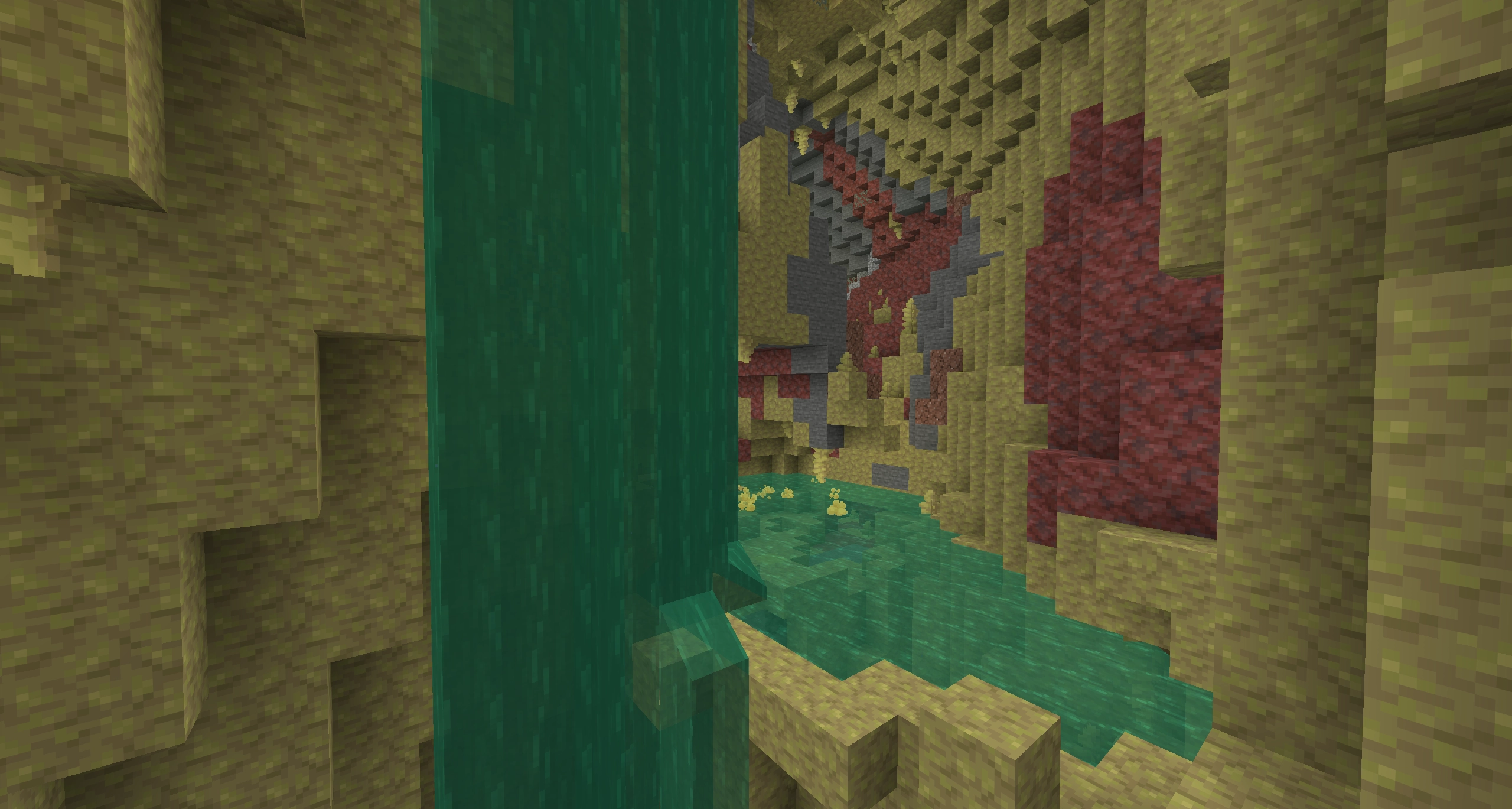
Content-wise, the star is the Sulfur Cube, a passive mob found in the new sulfur caves. It can absorb blocks and copy their physical properties, which is exactly the kind of “fun physics” that can stress plugins, farms, and protection systems. Admin-side, two changes matter: the old Open to LAN screen is replaced by new multiplayer options, and server.properties gets two separate anti-spam settings.
💬 Good to know: Chaos Cubed splits chat and command anti-spam with
chat-spam-threshold-secondsandcommand-spam-threshold-seconds(default: 10 seconds). This matters if you fine-tune moderation.
Should you update on June 16?
For a public server, usually no. On release day, server software like Paper or Spigot (and many mods) are not ready, they often need a few days before stable, fully compatible builds land. Updating too early is how you end up with a “server won’t start” speedrun.
For a small private vanilla server, updating on June 16 is generally fine. For a modded server or a plugin-heavy community server, wait until your full stack is confirmed compatible with 26.2. The good news: you can prep and test the migration in parallel, without touching your main production world.
Step 1: backup your world first
Before you change anything, make a full backup of your world. A major version update can introduce irreversible format changes: once your world is opened in 26.2, rolling back is not guaranteed. Without a backup, one bad launch can cost you your entire map.
Download your world folder locally from the panel’s file manager, or keep a dated archive using a server snapshot in the panel’s backup area. If you later need to restore or move a world, follow our guide to recover a Minecraft server world on MineStrator.
🚨 Important: Never update a production server without a backup you can actually restore. It’s your only real shield against world corruption.
Step 2: test Chaos Cubed on a staging server
The safest approach is a separate test server (pre-prod) to validate Minecraft 26.2 before you migrate production. You can check startup logs, plugin loading, mod behavior, and datapacks with zero risk to your players and builds.
This is the same logic as testing snapshots: isolate the environment, install the target version, and run your full checklist. Our tutorial on installing a Minecraft snapshot in 2026 walks through the setup step by step. For a disposable test server, you can also use the 12-hour free Minecraft server trial (no credit card), or temporarily free resources on an existing MyBox to spin up your staging instance.
💡 Tip: Copy your production world to staging and run a short “player simulation” (teleports, farms, redstone, claims). If it survives 30 minutes there, it’s far more likely to survive launch day.
Step 3: validate plugins, mods, and packs
This step makes or breaks the update. Every major Minecraft release temporarily breaks some plugins, and most mods, until maintainers push compatible builds. Chaos Cubed’s Sulfur Cube mechanics touch entities and physics, which are sensitive areas for protection plugins, anti-cheats, and automation-heavy setups.
Make a dependency checklist and confirm a 26.2-compatible version exists for each item:
Server software (Paper, Purpur, Spigot) stable build
Critical plugins (permissions, economy, region protection)
Mods and modpacks (loader compatibility first)
Datapacks and resource packs (visual + gameplay tests)
Some plugins may keep working without an immediate update, so don’t rely on version numbers alone. Your staging server test is what tells you the truth. If you’re still choosing a server jar (Paper, Purpur, Spigot), validate your pick on the staging server before you commit.
⚠️ Warning: One incompatible plugin or mod can prevent startup or spam errors in a loop. Only migrate production when your full list is validated on 26.2.
Step 4: update your server version in MineStrator
Once staging is green, switching your production server on MineStrator is straightforward:
Open the Versions tab in your panel
Select your server type (for example Vanilla)
Pick the target version, then click Change version
Start the server and watch the console for clean startup logs
With this method, the startup command is updated automatically, and the correct Java version is applied as well.
If you want a fresh install from scratch, you can also use the Reinstall mode.
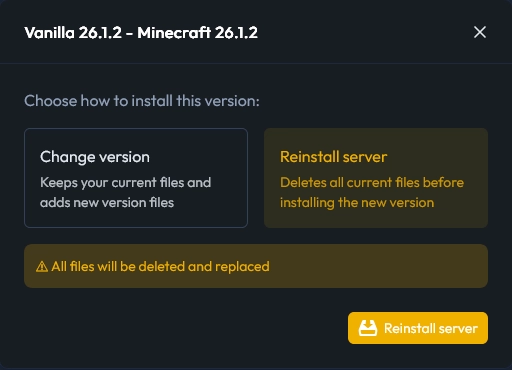
📝 Note: These screenshots use version 26.1.2 because 26.2 wasn’t available at the time, but the method is identical.
💡 Tip: If the server won’t start even though the jar is correct, it’s almost always a Java mismatch. Check it in Settings → Hosting before you chase ghosts elsewhere.
Step 5: plan RAM and watch performance
Chaos Cubed’s new physics can increase load, especially if your players rush sulfur caves on day one. For launch week, plan a buffer of +20% to +30% RAM, then scale back once exploration and player spikes stabilize.
On a MyBox, you can adjust RAM and dedicated CPU sliders in a few clicks from the panel, without contacting support. To size it properly (and avoid paying for power you don’t need), use our Minecraft server RAM guide (2026).

Do you need to regenerate the map?
No full regen is required. Sulfur caves and new Chaos Cubed biomes generate only in new chunks that haven’t been explored yet. On an existing world, you’ll find them farther from spawn, in unexplored areas, without doing anything special.
If you want Chaos Cubed content near spawn, you can consider a partial reset (deleting specific regions) or a fresh map. Just remember: resets wipe player builds, so it’s a community decision, not a technical checkbox.
Frequently Asked Questions
What is the release date for Chaos Cubed (Java 26.2)?
Chaos Cubed releases on June 16, 2026 on all platforms, as Java 26.2 and Bedrock 26.30. For servers, you can upgrade as soon as your chosen server software (vanilla, Paper, or modded) ships a compatible build.
Should you update your Minecraft server on release day?
Not always. Vanilla and private servers can often update on day one. Public servers using plugins or mods should usually wait a few days for stable Paper/Spigot/loader releases, then migrate after staging tests confirm everything works.
How do you change your server version on MineStrator?
In the MineStrator panel, go to the Versions tab, select your server type and target version, then click Change version. Java is adjusted automatically if needed. Start the server and confirm the correct version in the console, after making a backup.
Will Chaos Cubed break existing plugins and mods?
Often yes, at least temporarily. Major Minecraft updates require plugin and mod developers to adapt their code, and Chaos Cubed’s entity/physics changes can be especially disruptive. Validate every plugin and mod on a staging server before migrating production.
Do you need a map reset to get new Chaos Cubed biomes?
No. New biomes generate in unexplored chunks only, so they’ll appear naturally as players explore new areas. A partial or full reset is optional, but it removes player builds, so plan it carefully with your community.
Conclusion
Updating your Minecraft server to Chaos Cubed (26.2) is simple when you follow the right order: backup, test on staging, validate plugins and mods, switch versions in the panel, then monitor RAM and performance. Do it this way and you avoid the two classic disasters: world corruption and a server that refuses to boot.
Want to rehearse the migration before June 16? Launch a free 12-hour Minecraft server trial (no credit card), test your full stack on 26.2, and upgrade your production server with confidence.

 13 June 2026
  Enjoy 10% off your first month of server with MineStrator using the code ACTU10!