Want to start a fresh Minecraft server for survival, a modpack, or a community event in 2026? Perfect timing. In this guide, you’ll learn how to pick the right MineStrator offer, create your server in minutes, and choose the best server software for your project.
We’ll keep it practical: first the setup on MineStrator, then a clear breakdown of Vanilla, Paper/Spigot, modded servers (Forge, NeoForge, Fabric), and hybrids. By the end, you’ll know exactly what to run, and why.
If you also plan to test new versions, you can pair this guide with our Minecraft Snapshot server tutorial (2026).
🚨 Important: How you use your Minecraft server directly impacts the resources you’ll need. If you’re unsure, use the interactive purchase guide to get a plan recommendation in a few clicks.
Create your MineStrator Minecraft server
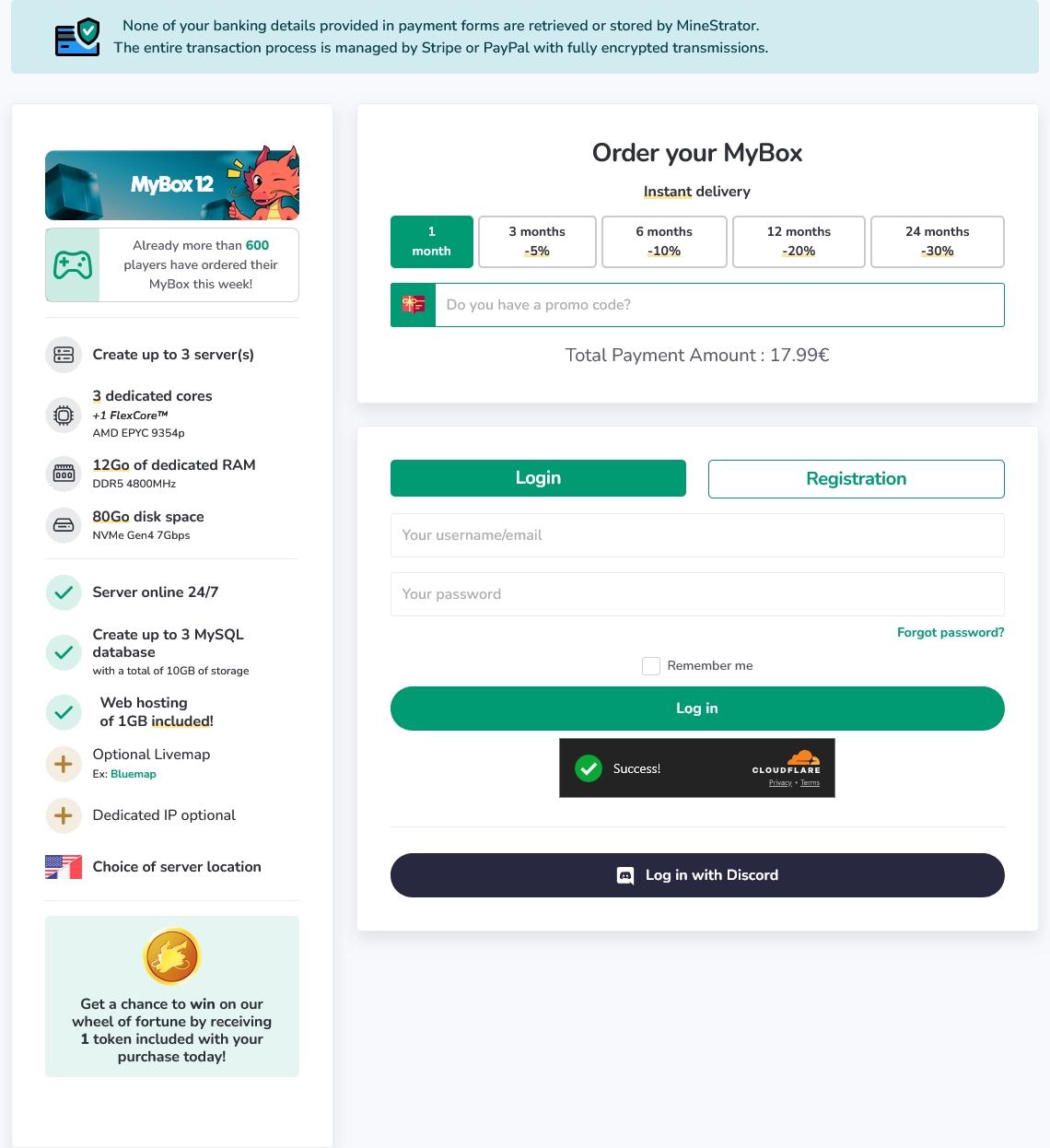
Start on the MineStrator homepage, scroll to the offers, and pick the one that matches your player count and gameplay. Then log in, or create an account if it’s your first time.
Once your order is completed, open your Dashboard. You’ll see your MyBox ready to go—click Create server to begin the setup.
Choose the resources to allocate, select a location close to your players, and confirm the creation. When it’s done, click Manage server to access the server panel.
💡 Tip: Pick a server location near your main player base to reduce ping and make PvP feel less “I swear I hit him”.
Choose the right Minecraft server software
Your server software is the foundation of your Minecraft server. It affects performance, stability, compatibility with plugins or mods, and even how some mechanics behave. On MineStrator, servers are provided with Paper by default, because it’s optimized and supports Bukkit plugins.
In Minecraft Java, server software usually falls into four families: Vanilla, Bukkit-based (CraftBukkit/Spigot/Paper), mod loaders (Forge/NeoForge/Fabric), and hybrids that try to run plugins and mods together.
If you’re mainly focused on performance tuning, you’ll also like our Spark guide to diagnose Minecraft server lag (2026).
💡 Tip : Everything we'll talk about next can be installed through the Versions tab of the Mineboard.
Vanilla: the official Mojang server
The Vanilla server is Mojang’s official software. It’s the simplest way to host a multiplayer world with no extensions, no plugins, and no mod loader. If your goal is a pure, unchanged experience, Vanilla is the most “authentic” option.
Vanilla is a good fit when you want:
Original gameplay behavior
Maximum client compatibility
Minimal configuration
The downside is simple: performance and flexibility. Vanilla has very few optimizations and no plugin system, so it can struggle with many players, heavy farms, or lots of entities. That’s exactly why the plugin ecosystem was created in the first place.
📝 Note: If you want “vanilla-like” gameplay but smoother TPS, Paper is usually the better choice than Vanilla.
Bukkit servers: CraftBukkit, Spigot, Paper
Bukkit-based servers are made for plugins: protections, economy, moderation tools, minigames, and quality-of-life features. Over the years, the ecosystem evolved from CraftBukkit to Spigot, then to Paper, each step improving performance and tooling.
CraftBukkit: where plugins started
CraftBukkit introduced the Bukkit API, enabling developers to extend servers with plugins. It made classic server features possible, like land claims, admin commands, and chat management.
But CraftBukkit had limitations that became painful at scale:
Limited performance
Imperfect handling of mechanics
Harder long-term maintenance
Spigot: performance and a new standard
Spigot is a CraftBukkit fork focused on optimization and better server controls. It added more configuration options and improved entity and network handling, becoming the go-to base for plugin servers for years.
Then came the next step: Paper, built to push optimizations further and fix deeper issues.
Paper: the recommended jar in 2026
Paper is a Spigot fork that keeps Bukkit/Spigot compatibility while adding deeper optimizations, bug fixes, and extra configuration options. In 2026, it’s widely considered the most reliable “default choice” for public servers and communities.
Paper typically improves:
Chunk loading and saving
Entity processing efficiency
Memory management
Server tick scheduling
📝 Note: Paper also patches many Vanilla bugs and exploits, including some duplication issues. You can re-enable specific behaviors in
config/paper-global.ymlif your gameplay relies on them.
Why use Paper without plugins
Paper isn’t only for plugin-heavy servers. Even if you want a “vanilla-like” Minecraft server, Paper can still be a smart pick because it improves stability and gives you more control without changing your whole concept.
Here’s why Paper is useful even with zero plugins:
Better performance under load
Bug fixes that can impact stability
Finer tuning for entities and chunks
In practice, Paper is often the best baseline for survival servers, SMPs, and most community projects. If you need extra protection against attacks, read our 2026 guide to protect a Minecraft server from DDoS.
Modded servers: Forge, NeoForge, Fabric
Plugins aren’t the only way to extend Minecraft. Mods can change the game deeply: machines, dimensions, tech trees, new mobs, worldgen, and more. For modded Minecraft servers, you’ll use a mod loader, and your modpack usually decides which one.
The three main options are Forge, NeoForge, and Fabric.
Forge: the historical giant
Forge has been the most widely used mod loader for years. It provides a stable API, dependency handling, and a full framework for heavy modpacks, especially technical and progression-based packs.
Forge is sometimes criticized for:
Heavier architecture
Slower update cycles
Higher complexity
NeoForge: the modern successor
NeoForge is a fork born from the Forge ecosystem, aiming to modernize the platform while keeping familiar concepts for mod developers. In 2026, many recent modpacks are moving toward NeoForge, and it’s increasingly common to see it replace Forge.
⚠️ Warning: For server admins, the rule is simple: your modpack dictates your mod loader. Despite similar names, Forge and NeoForge are not compatible with each other.
If you’re setting up NeoForge, you can follow our NeoForge Minecraft server setup guide (2026).
Fabric: lightweight and fast updates
Fabric is a lighter, modular mod loader that often updates quickly. It’s popular for performance mods, small gameplay tweaks, and servers that want to stay close to Vanilla while still benefiting from modded features.
Fabric is often chosen for:
Performance-focused mod lists
Light gameplay changes
Vanilla-adjacent servers
Optimize modded servers for stable TPS
A modded Minecraft server can be far more demanding than a classic plugin server. World generation, automation, extra entities, and complex blocks can quickly increase CPU and RAM usage, especially with active players exploring and chunk-loading nonstop.
Without optimization, modpacks can cause:
TPS drops during peak hours
Excessive RAM usage
Very high tick times
Plan for modded hosting like you plan for a boss fight: bring the right gear. That usually means server optimization mods, careful configuration, and enough hardware for your pack’s ambitions.
💬 Good to know: Not sure how much memory you need? Use our 2026 RAM guide (EN) to size your server properly.
Hybrid servers: running plugins and mods
Because plugins and mods live in different ecosystems, some projects try to merge both into one Minecraft server. These are called hybrid servers, and they can be tempting when you want modded gameplay plus classic admin plugins.
Arclight: the most common hybrid approach
Arclight is one of the best-known hybrid projects. It combines a mod loader (Forge or NeoForge) with Bukkit/Spigot plugin support, aiming to run mods and plugins side-by-side.
📝 Note: Other hybrid projects exist, but Arclight is often seen as one of the better compromises for stability without relying on questionable shortcuts.
Compatibility limits you should expect
The biggest issue with hybrid servers is compatibility. Mods and plugins were not designed to cooperate, and they may patch the same game systems in conflicting ways. That can create bugs that don’t happen on a pure modded server or a pure Paper server.
Common hybrid problems include:
Hard-to-diagnose bugs
Random crashes
Unpredictable gameplay behavior
💡 Tip: Avoid “converting” an existing modpack into a hybrid setup. Start clean, add mods and plugins step-by-step, and test after every change.
Maintenance is more complex
Hybrid projects must keep up with Minecraft updates, mod loader updates, and Bukkit API changes at the same time. That extra complexity increases the risk of delayed releases, temporary incompatibilities, and instability after upgrades.
For production servers, hybrids can work, but they require patience and a solid testing routine.
Questions frequent
Which Minecraft server software should you choose in 2026?
For most communities, Paper is the safest choice in 2026 because it’s optimized and plugin-ready. Choose Vanilla only if you need Mojang’s exact behavior, and choose Forge/NeoForge/Fabric when your modpack requires it.
Can you run mods on a Paper server?
No. Paper is built for plugins, not mods. If you want mods, you’ll need a mod loader like NeoForge, Forge, or Fabric, and players must use the matching client setup.
Are hybrid servers recommended for a public server?
They can work, but they’re riskier. Hybrid servers often introduce compatibility issues and increase maintenance. If stability matters, prefer a pure Paper server (plugins) or a pure modded server (mods).
Conclusion
Creating a Minecraft server on MineStrator is quick: pick an offer, create the server from your Dashboard, then choose the right server software. In 2026, Paper is the go-to option for most servers, while modded projects depend on Forge, NeoForge, or Fabric.
Don’t have a server yet? Try it free for 12 hours, no credit card required, and launch your next survival world or modpack with your crew.

 05 March 2026
  Enjoy 10% off your first month of server with MineStrator using the code ACTU10!